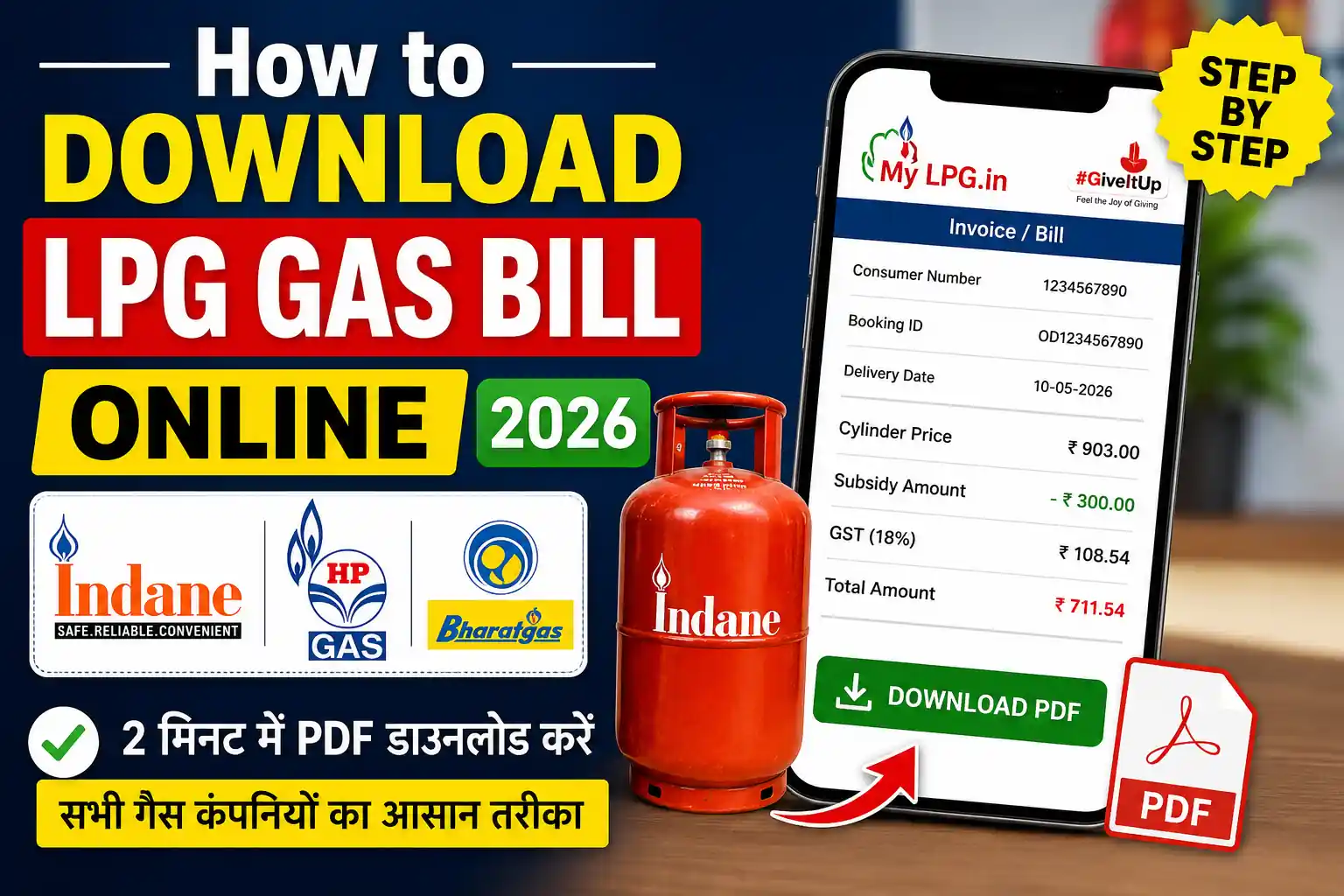
Need your LPG gas bill online? Whether you use Indane, Bharat Gas or HP Gas, you may be able to view your refill transaction details, booking information and invoice through the company’s digital services.
An LPG bill is useful when you want to confirm how much you paid for a cylinder, check the booking date, verify delivery details or keep a digital record of your LPG purchases.
This updated guide explains the available ways to find your LPG bill, invoice and booking details online in 2026.
For general LPG booking information, you can also check our Gas Booking Status guide.
Read also: Gas Booking Status Check
What is LPG Gas Bill Online?
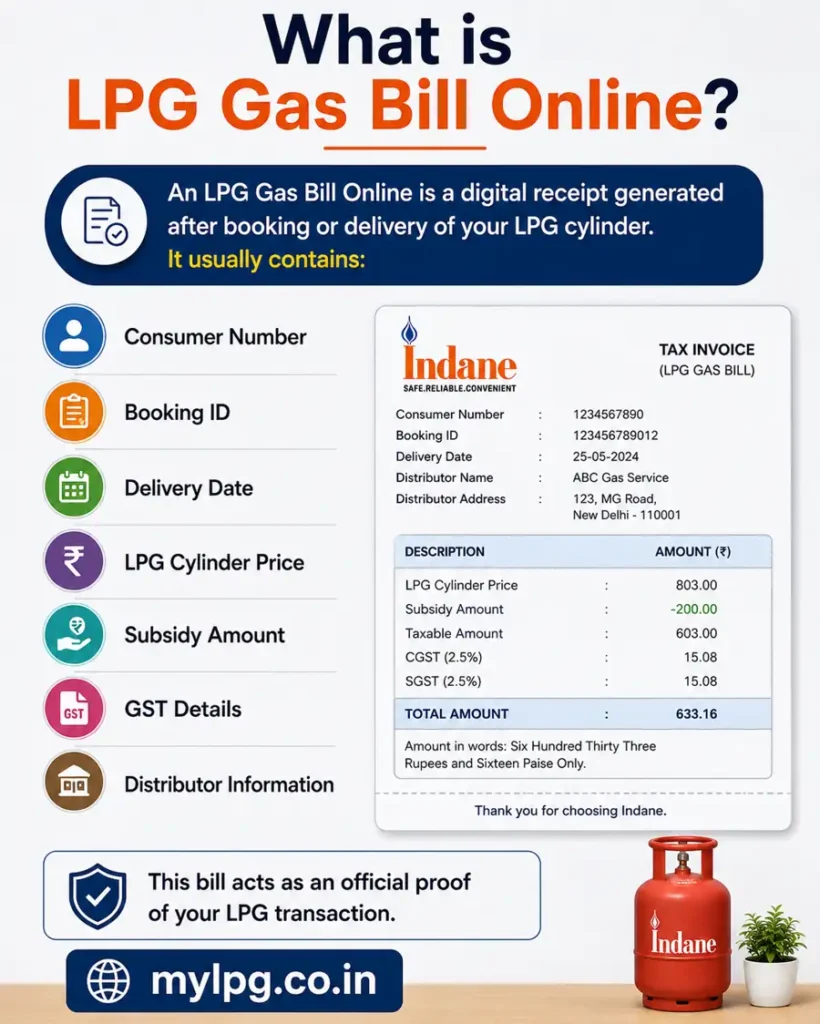
An LPG Gas Bill Online is a digital receipt generated after booking or delivery of your LPG cylinder. It usually contains:
- Consumer Number
- Booking ID
- Delivery Date
- LPG Cylinder Price
- Subsidy Amount
- GST Details
- Distributor Information
This bill acts as an official proof of your LPG transaction.
LPG Bill Download – Indane vs Bharat Gas vs HP Gas
| LPG Provider | Online Account | Booking History | Invoice/Bill Availability |
|---|---|---|---|
| Indane | Yes | Available through digital services | Depends on current service |
| Bharat Gas | Yes | Available through digital services | Depends on current service |
| HP Gas | Yes | Available through digital services | Depends on current service |
The exact invoice download facility can change as the companies update their websites and mobile applications.
How to Download LPG Gas Bill Online from MyLPG Portal
You can download the bill easily using the official LPG portal.
Step 1: Visit Official Website
Open the official portal:
MyLPG Official Website
Step 2: Select Your Gas Company
Choose your LPG provider:
- Indane
- HP Gas
- Bharat Gas
Step 3: Login to Your Account
Use your:
- Mobile number
- Consumer ID
- Password or OTP
If you do not know your consumer number, check this guide.
Read also: LPG Consumer Number Kaise Pata Kare
Step 4: Open Booking History
After login:
- Go to “Booking History”
- Select recent booking
- Open invoice or bill section
Step 5: Download PDF Bill
Now click on:
- Download Invoice
- Print Bill
- Save PDF
Your LPG Gas Bill Online will be downloaded instantly.
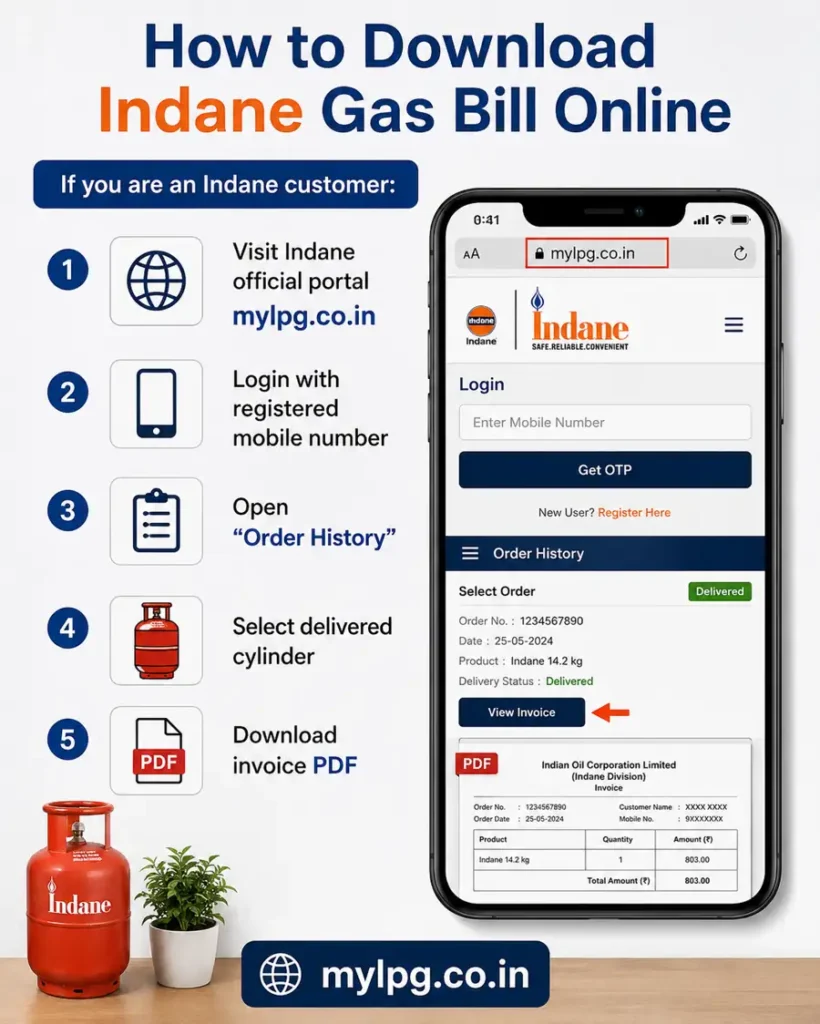
How to Download Indane Gas Bill Online
If you are an Indane customer:
- Visit Indane official portal
- Login with registered mobile number
- Open “Order History”
- Select delivered cylinder
- Download invoice PDF
Indane users can also use the Indane mobile app for faster access.
How to Download Bharat Gas Bill Online
Bharat Gas customers can:
- Visit Bharat Gas portal
- Login using OTP
- Open booking section
- View latest cylinder delivery
- Download the bill PDF
Sometimes invoice generation may take a few hours after delivery.
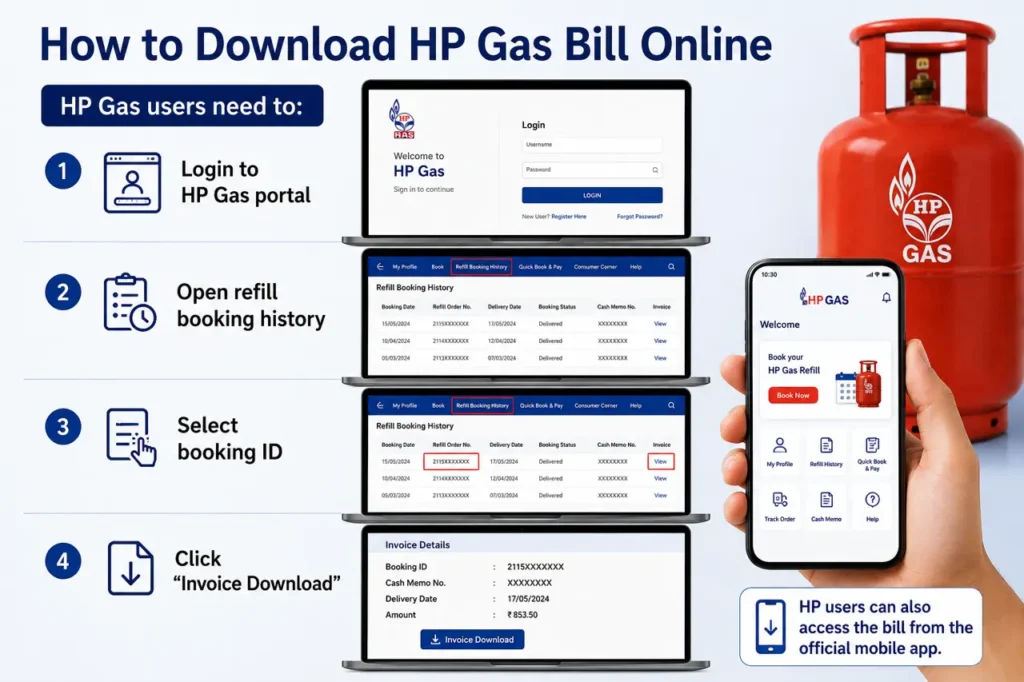
How to Download HP Gas Bill Online
HP Gas users need to:
- Login to HP Gas portal
- Open refill booking history
- Select booking ID
- Click “Invoice Download”
HP users can also access the bill from the official mobile app.
Read also: LPG Gas Booking App Guide
Can You Download LPG Bill Without Login?
In most cases, users need to log in for security and verification purposes before downloading their LPG gas bill online. However, some gas agencies also provide bill access through alternative methods such as:
SMS invoice links
WhatsApp bill copies
Email PDF receipts
To receive these services properly, customers should always keep their registered mobile number updated with the gas agency.
Common Problems While Downloading LPG Gas Bill Online
Sometimes users may face technical issues while downloading their LPG invoice online.
Bill Not Showing
In some cases, the bill may not appear immediately after cylinder delivery. Users should wait for a few hours because invoice generation can take some time.
OTP Not Received
If the OTP is not arriving, check your mobile network connection or try again after some time.
Website Not Opening
Government and LPG company websites may become slow or temporarily unavailable during heavy traffic hours.
Wrong Consumer Details
If your name, address, or consumer information is incorrect, contact your LPG distributor or customer support immediately.
Benefits of Using LPG Online Services
Online LPG services help users save:
Time
Travel expenses
Effort of visiting the gas agency
Using online services, customers can also:
Track LPG subsidy status
Check booking status
Download invoices and bills
Raise complaints online
Read also: Gas Customer Care Number
Is LPG Gas Bill Online Valid?
Yes, the downloaded PDF bill is considered valid in most situations because it contains:
- Official transaction details
- GST information
- Distributor details
- Consumer information
You can print it whenever needed.
Tips to Keep LPG Account Secure
Always remember:
- Never share OTP publicly
- Use official websites only
- Avoid fake LPG links
- Keep mobile number updated
Online LPG scams are increasing nowadays, so users should stay careful.
Conclusion
Downloading LPG Gas Bill Online in India has become very simple in 2026. Whether you use Indane, Bharat Gas, or HP Gas, you can easily access your invoice online within minutes. The online system helps users manage their LPG services conveniently without visiting the agency physically.
If your bill is not showing immediately, wait for some time and try again later. Always use official LPG portals for safe access.
FAQs
You can download it from the official LPG portal by logging into your account and opening booking history.
Yes, the downloaded PDF invoice is valid for most official purposes.
Yes, most LPG portals allow login through registered mobile numbers.
Sometimes invoice generation gets delayed after cylinder delivery.
Yes, you can download the PDF and print it anytime.